
This guide has been produced to show how Haul Infinity uses actual travel time data from Fleet Management Systems in Cycle Time calculations. Please note that Haul Infinity (HI) does not directly connect to an FMS database and the data must be imported into HI as a prescribed format.
Logic Overview
Haul Infinity uses imported FMS waypoints and a lookup table (".cali" file) with travel times between the points. As it encounters FMS waypoints on a haul segment, it checks how far it can "jump" to the next point using the lookup table, repeating this until reaching the destination. For segments with FMS travel time data, the calculated times are replaced with actual FMS times, shown in the Overridden Time column. If no FMS data is available, times are calculated using first principles. In the example, times between FMS_P1 → FMS_P2 and FMS_P2 → FMS_P3 uses FMS actual times and everything FMS_P3 onwards are based on first principles.
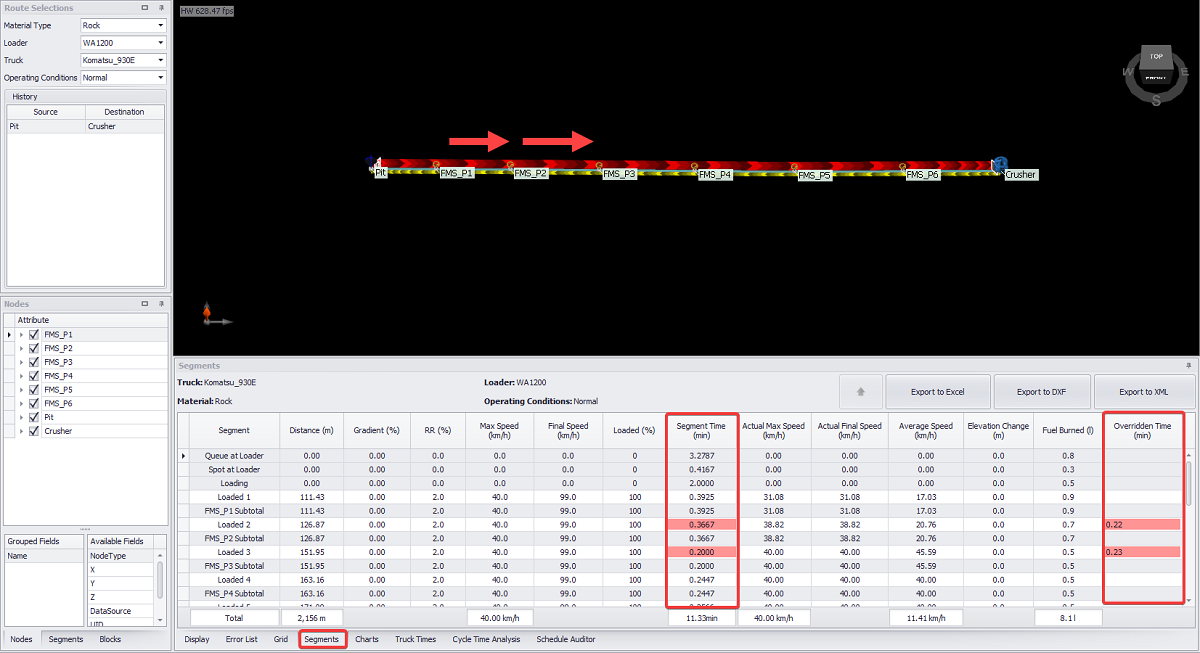
FMS Actual Times Being Overridden in Haul Infinity
Note: In the .cali file, the duration is specified in Seconds and in the actual outputs in the "Segment Tab", the results gets converted to Minutes.
If a time exists between FMS_P1 and FMS_P6 in the lookup table, Haul Infinity will use this time instead of the FMS_P1 → FMS_P2 and FMS_P2 → FMS_P3 times, as it's the largest "jump" it can make. The individual segment times between FMS_P1 and FMS_P6 will then be prorated based on the length of each segment.
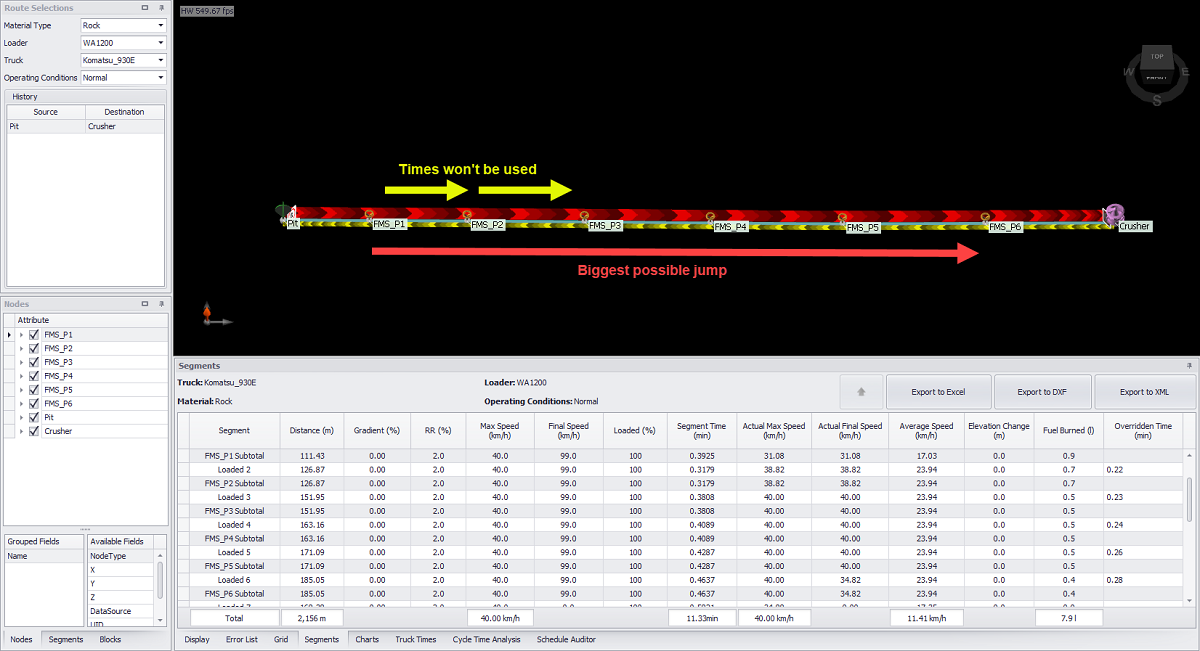
FMS Actual Times Prorated Based on Length Per Segment
How to Setup
1) Importing FMS Waypoints
FMS points must be modeled as Waypoint nodes in Haul Infinity. The easiest way to import FMS points is by using Haul Infinity's "Import > Nodes from CSV" option.
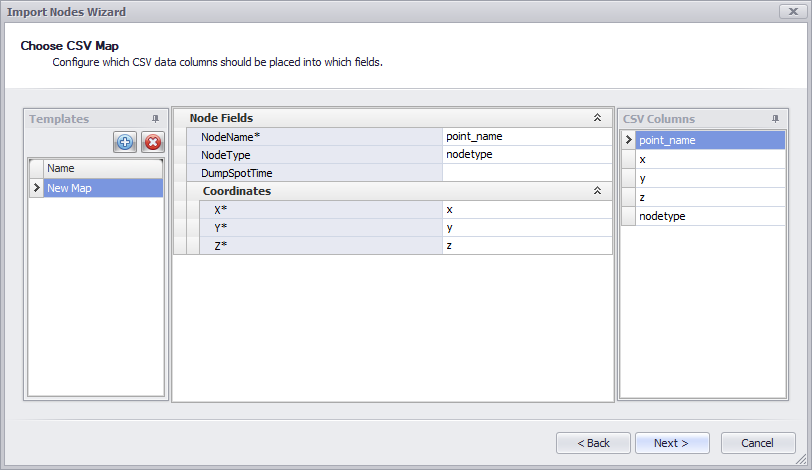
Import Nodes (Waypoints) Wizard
An example for the waypoint import CSV is outlined below.
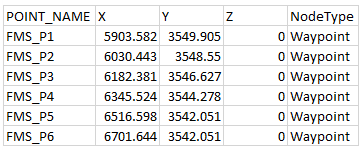
Required structure of the FMS Waypoint CSV file
2) Adjust Imported Waypoints in Haul Infinity
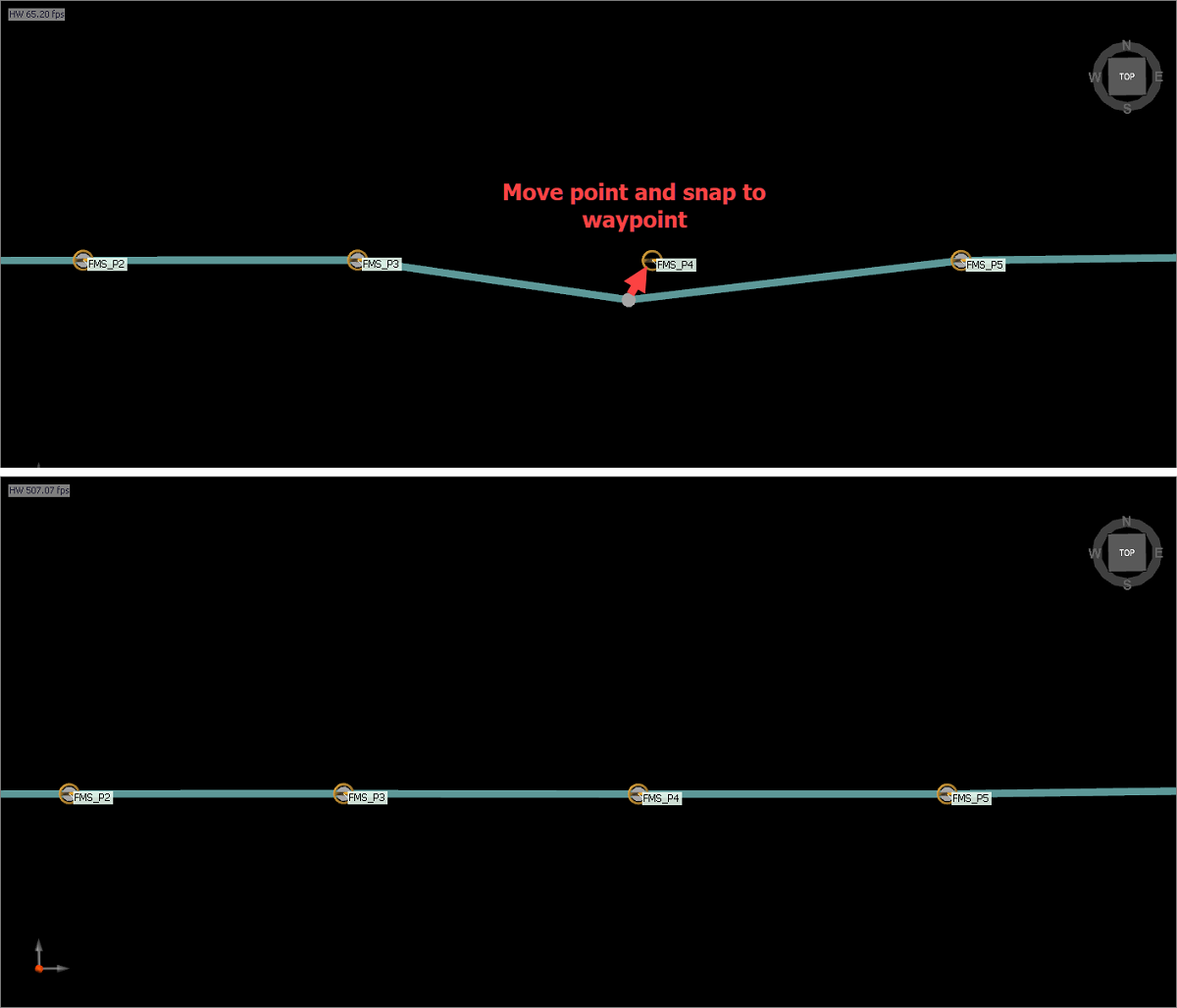
3) Creating Calibration Table (.cali)
The calibration table holds actual travel time data from the FMS database. Before importing, it's essential to review the data to ensure it's in the correct format. The schema for the calibration file is shown below.

Required Structure of the Calibration File
Description of Headers in Calibration File
4) Importing Calibration File (.cali)
After checking the data, the file extension needs to be changed to ".cali". This is a simple process that just involves renaming the file extension from ".csv" to ".cali".

Extension Conversion of Calibration File
Importing the ".cali" file into Haul Infinity can be done by selecting the "Calibrate" option from the Extensions drop-down menu in the top bar.
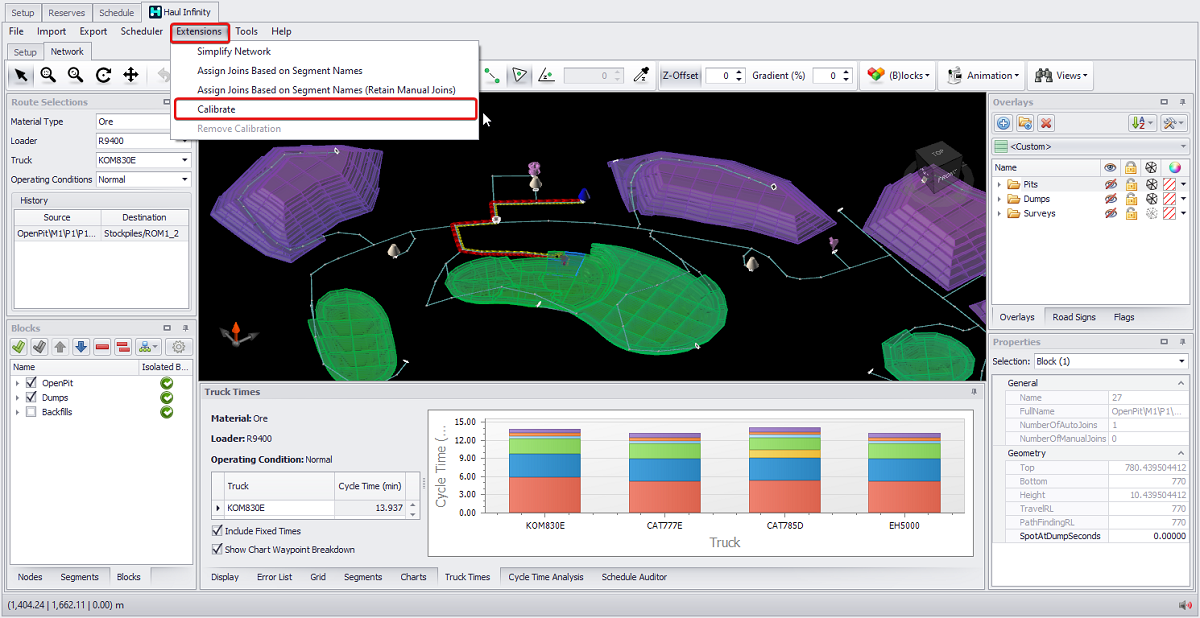
Haul Infinity --> Extensions --> Calibrate
Want to learn more?
Online Help Manuals - Click here for the latest version
Learning Management System - Click here to login or here to request access
Comments
0 comments
Please sign in to leave a comment.